

For those Canadians interested in acquiring US credit cards, there are a plethora of intensive steps, from getting an ITIN, establishing a US address, opening a US-domiciled bank account, currency transfer services, building your credit history, and so on. One less discussed step of the process is setting up a US phone number.
Let’s discuss why you should be thinking about this as well.
Why Do You Need a US Phone Number?
You actually may not NEED a US phone number as a Canadian. However, in my opinion, having one makes things much more straightforward when it comes to communicating with US financial institutions.
Aside from not raising any flags or questions as to why you’re communicating with them via a Canadian number, institutions like Amex, Chase, and others, often need to verify your identity during a call via 2-factor authentication, and this can also be required as part of logging in to an online account on the institution’s website.
In order to do this, you may be required to receive a text message or automated call containing a time-limited code. Oftentimes, these messages are only programmed to send to US phone numbers. So, with a Canadian number you may be unable to proceed past verification.
This also means that you don’t just want any US phone number from any provider, but one that can receive 2FA text message codes as well (not all can do this).
Read on.
Best Providers of US Phone Numbers
Google Fi
My favorite and personal choice for a US phone number is the Google Fi. The Flexible plan can be activated off and on, ad-hoc. It is only $20 / month, and pro-rated for the actual number of days you keep it activated. It used T-Mobile infrastructure and actually great for use as a phone plan when traveling abroad as it offers service at the same cost in numerous international countries. A more convenient option compared to eSims or local sims even.

There is a great article over on Frugal Flyer that dives deep into Google Fi, including all the steps to setting it up as a Canadian:
- Activate a US VPN
- Create a US-based Google Account
- Download and Sign Up for Google Fi
- Get and Activate Your Google Fi SIM (Physical SIM or eSIM)
Check it out if you want to learn more.
PayGo
PayGo is another US ultra low cost phone plan. Like Google Fi it uses the T-Mobile network, and thus can be used in a plethora of international destinations. This guarantees it will work with all major US banks for SMS verification.
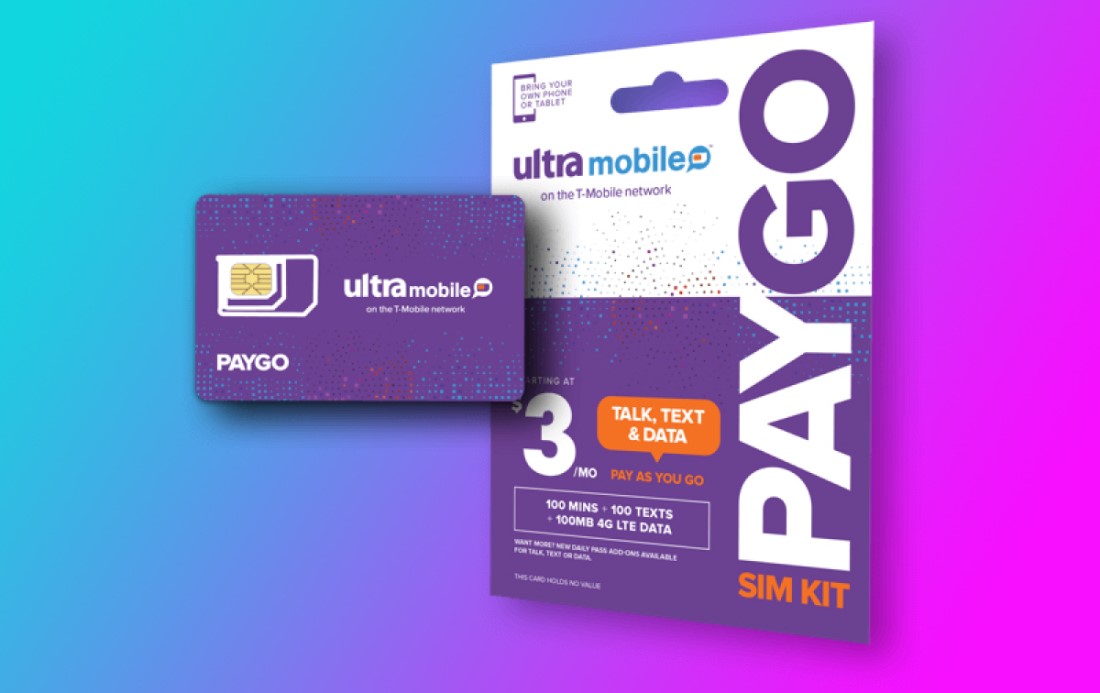
PayGo is very cheap at $3.00 per month. However it comes with a lot of restrictions as its only 100 minutes, 100 text messages, and 100 MB of 4G data. This can be good or bad depending on your use case.
Pros:
- Allows worldwide wifi calling/text for free (only takes from monthly allotment, no additional charges).
- Receives SMS (cellular network) 2FA code for only $0.10, anywhere in the world.
- Comes in both physical SIM format and eSIM format.
- Encourages roaming so no issues with being shut down for exclusively using outside the USA.
- Works with Chase/Citi/Amex to receive 2FA from rep as well as “auto 2FA from systems”.
Cons
- For physical SIM, it may require physically being in the US to activate it. This has been disputed recently however.
- eSIM must be activated in the US as it must connect to a T-Mobile tower. This can be bad if you switch phones, lose your phone etc. as it would require a trip to the US.
- You can’t turn PayGo on and off when you need it like Google Fi, instead it operates like a more traditional phone plan.
To get started, visit PayGo’s website. Also note that the physical SIM is, somewhat strangely, sold exclusively by eBay.
Tello
Tello is another option similar to PayGo, however they offer a larger selection of custom plans where you can select exactly how much data and how many minutes you want to pay for.
For the cheapest plan with no data and 100 minutes calling + free texting, you will pay $5 per month. On the flip side you can get unlimited data, unlimited calling and text, for $25 per month, and a number of options in between that.
Pros
- Tello has both SIM and eSIM options.
- The eSIM option so can be activated anywhere.
- Tello has WiFi calling capabilities.
Cons
- Requires WiFi to be on to work outside of US. This means if you are overseas and have no WiFi then you will not be able to use Tello.
- Bit pricier if you only need the bare bones for SMS verification, compared with PayGo.
Overall I think Google Fi is a better choice if you have actual international data/calling/texting needs, and PayGo is a better choice if you only want to use this for receiving SMS and making the odd call once in a while. But its always good to have options!
Google Voice
Google Voice is a forwarding VoIP service which allows you to have a US number that, when called or messaged, automatically forwards the communication to your actual number.
Google Voice is the only free option on this list. However, frankly, you get what you pay for when it comes to US mobile phone number providers. There are limitations with this option. Nonetheless, its worth mentioning and it may work just fine for some folks.
Setting up Google Voice comes with quite a few hurdles for Canadians. To do it, you need to have:
- US based IP address (via a VPN)
- US VoIP that can receive a call/text
This might seem counterintuitive, but for whatever reason there are some text apps which can be used to temporarily receive calls or texts, but aren’t suitable for long term use like Google Voice or the others mentioned above. These include:
With the above in place, you will need to create a new GMail account with US information including your address. This will create a “US-based” Google account. Then, head to voice.google.com and sign up for Google Voice.
This video goes through the steps in detail:
When it asks for your home phone number, enter the number you got from Telos, Textverified, etc. Once that is verified, you can complete the steps and have your permanent Google Voice US phone number.
As I mentioned, this number can be a bit finicky, but can apparently receive SMS messages for verification from Amex, Chase, and other banks (at least for some or most users).
Conclusion
Having your own US phone number, while not strictly required, is definitely a nice-to-have as you delve into the world of US credit cards. Hopefully one of the above providers is a suitable option to get you going.
This is a rapidly changing space so if you’re heard of any other good and cheap US SIM providers, be sure to leave a comment below!
I’ve been using Google Fi for several years. Its reliable and just works as a general travel number, and as a US phone number. I highly recommend it.